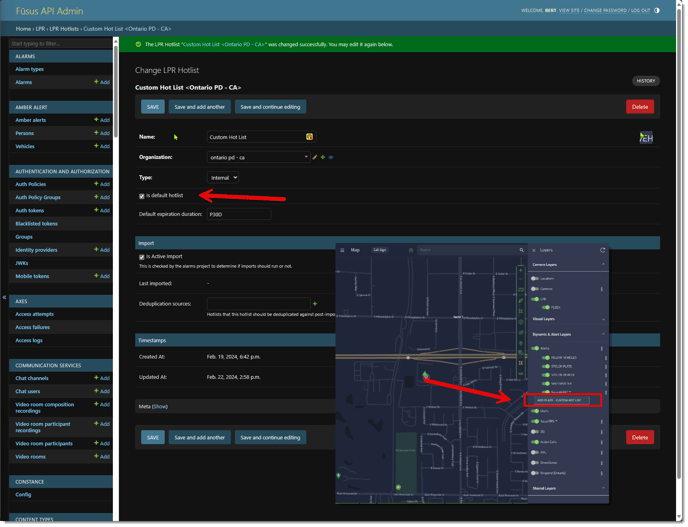
FususONE Add Plate Custom Hotlist Option in the Dynamic & Alerts Layers in FususONE.
Instructions to add the "Add Plate Custom Hotlist" in the Dynamic & Alerts Layers in FususONE.
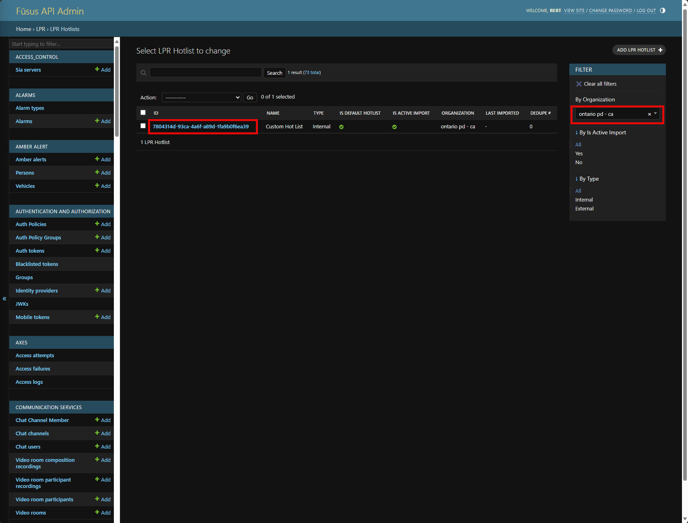
- In Djanjo navigate to LPR, LPR Hotlist.
- Select the Organization, then click on the ID.
- Make sure that "Is default" hotlist is checked.
- Click Save.